Research Paper Setup
Overleaf 📝
Overleaf is a collaborative, cloud-based LaTeX editor built for academic writing. Here’s why Overleaf can make your research writing smoother and more efficient:
- ✅ Real-time collaboration with comments and tracked changes.
- ✅ Built-in LaTeX packages
- ✅ Automatic PDF compilation.
- ✅ Version history.
- ✅ Easy sharing with advisors and co-authors.
- ✅ Works anywhere—no local TeX installation required.
Set Up Your Overleaf Project
Follow these steps to get your research paper project ready on Overleaf.
1. Create an Overleaf Account
- Sign up for a free account at Overleaf to start your projects.

2. Start a New Project
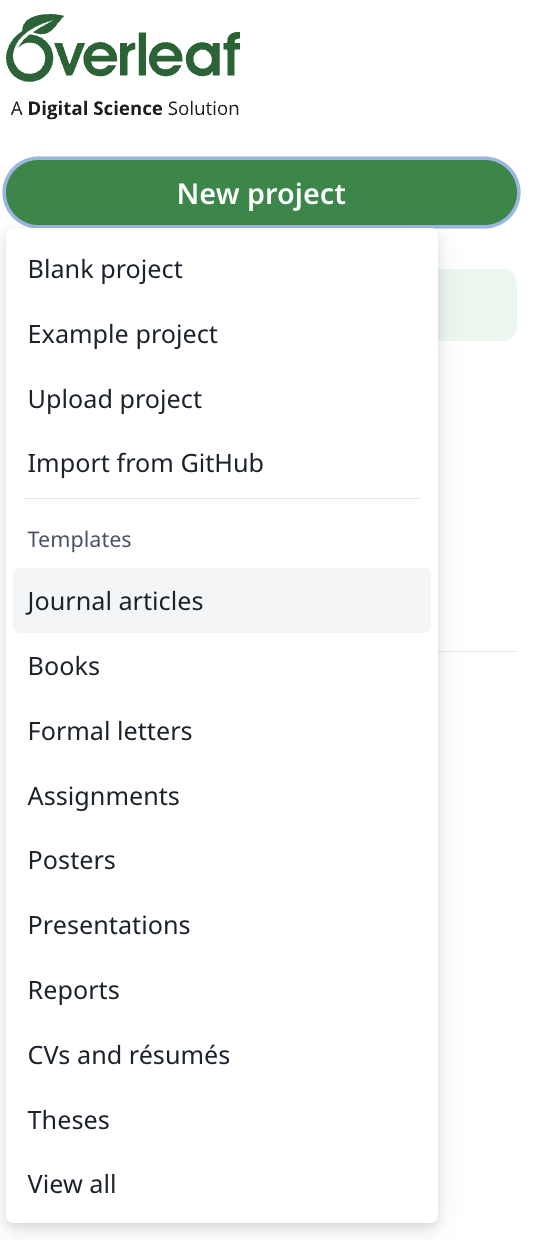
- Log in to Overleaf and select New Project → Journal Articles. Browse or search for the journal template you want to use to begin your project.
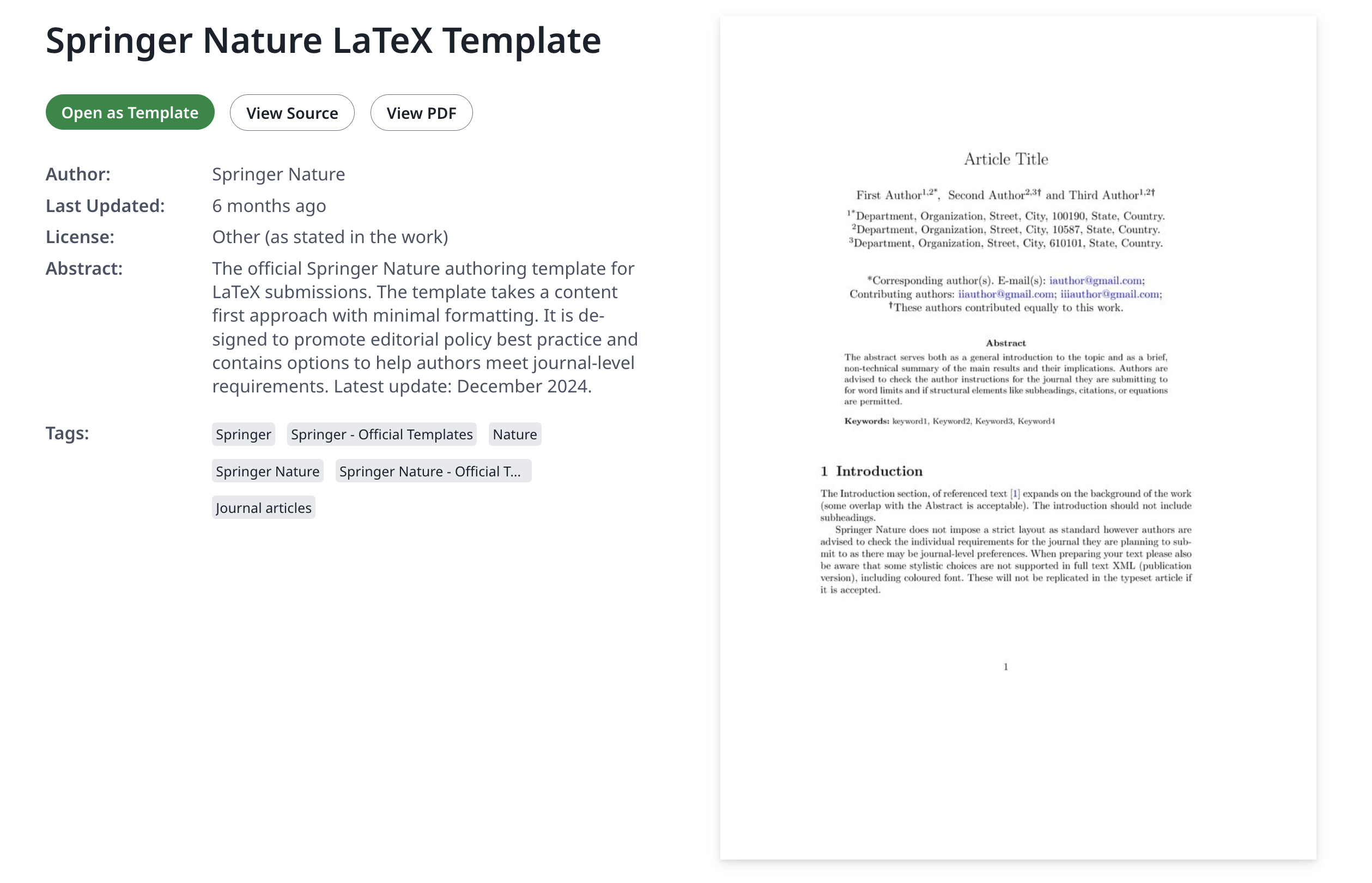
- When you find the desired journal template, click Open as Template.
- Rename the project with a descriptive, appropriate project name.
3. Structure the Research Paper
Use a modular structure so collaborators can work in parallel.
- Create a
sections/folder and split content:sections/intro.texsections/methods.texsections/results.texsections/discussion.texsections/conclusion.tex
- In
main.tex,\input{sections/intro}etc. to include each section.
4. Add and Reference Figures/Tables
- Keep figures in
figures/and reference them with\labeland\ref.
\begin{figure}[t]
\centering
\includegraphics[width=0.9\linewidth]{figures/model-architecture.pdf}
\caption{Model architecture overview.}
\label{fig:arch}
\end{figure}\begin{table}[t]
\centering
\caption{Test accuracy by model.}
\label{tab:acc}
\begin{tabular}{lrr}
\toprule
Model & Accuracy & F1 \\
\midrule
Baseline & 0.78 & 0.75 \\
Transformer & 0.86 & 0.84 \\
\bottomrule
\end{tabular}
\end{table}5. Add BibTeX Citations
Prepare a BibTeX file (e.g.,
refs.bib) containing all your references.Add citations in-text using
\citet{key}(narrative) or\citep{key}(parenthetical).At the end of
main.tex, ensure:
\bibliographystyle{plainnat}
\bibliography{refs} refs.bib)
@book{gelman2013bayesian,
title        = {Bayesian Data Analysis},
author       = {Gelman, Andrew and Carlin, John B and Stern, Hal S and Dunson, David B and Vehtari, Aki and Rubin, Donald B},
year         = {2013},
edition      = {3rd},
publisher    = {Chapman and Hall/CRC}
}
6. Compile
Set Menu → Main document to
main.tex.Click Recompile until warnings are resolved.
Export PDF via Download PDF when ready.
7. Submit
There are two ways to submit your manuscript:
Directly to the journal website: Export your compiled PDF and follow the journal’s submission instructions.
Through Overleaf: Some journals allow direct submission from Overleaf—follow the journal’s integration or submission options within your project.
Sample Research Papers
Here are some sample research papers from GW Data Science.